

ACCOUNT
Verification page
See whether phone verification is complete and check the personal details attached to your profile.
vespa 69 brings Andar Bahar, live baccarat, featured slot rooms and football markets into one account, with DANA and QRIS visible beside the lobby.
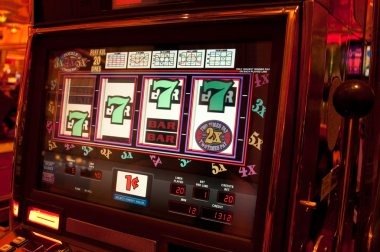

Move between slot rooms, streamed dealer tables, fishing games and the sportsbook from one home screen without rebuilding your session.
Pragmatic Play, PG Soft and Habanero appear beside CQ9, Joker and Spadegaming, giving you recognisable studio labels before a game opens.
DANA, OVO, GoPay and QRIS appear as named choices in our cashier, so you select a rail before entering an amount.
The cashier, account page, game catalogue, support panel and policy area answer the questions that matter before your first session.



A phone number, a matching account name and a password are the three details to prepare before you open an account.
Enter your current phone number and account name, create a private password, then complete the phone verification prompt. We open the full home screen only after that check is completed.
Use the same personal name for your account and chosen wallet or bank route. Matching details reduce avoidable status checks when you add funds or request a withdrawal.
The home navigation separates slots, live casino tables, fishing rooms and sportsbook markets. Andar Bahar, badminton and basketball can be reached without opening a second account.
Keep your password and phone verification code private, and close the session after using a shared device. Contact our help channel if an unfamiliar login prompt appears.
Live chat sits near the account and cashier paths for login stalls, wallet states and receipt checks. The chat panel displays current availability before you send a message, while email handles cases where you need to describe several steps or include a transaction reference. On mobile, open the home menu and choose Help without leaving the browser session. Tell us the affected rail, visible status and submission time, but never send a password or phone verification code. These details let us trace the right account event without asking you to repeat a transfer.
Open chat from the home help panel when login, verification or wallet status stalls. Share the visible status and receipt reference, but keep your password and phone code private.
Use email for a longer account explanation or a receipt status check. Include your account phone number, selected rail and submission time, without attaching credentials or verification codes.
Tap the home menu, choose Help and select the displayed contact route. The panel opens within your browser path, so you can return to the cashier or lobby afterward.
The mobile home keeps login, lobby search, wallet status and support within one browser path, so no separate app is required.
Phone verification comes before account access, creating a clear checkpoint between profile creation and the lobby.
A single home route gives you current account, game and cashier details without relying on screenshots, shop conversations or old group messages.
Our account page shows whether phone verification is complete. A forwarded screenshot or verbal message cannot confirm the current state attached to your own profile.
The cashier displays the rails currently available to your account, including DANA, OVO, GoPay and QRIS. Old messages may describe a route that is not presently shown.
Submitted, pending and completed activity appears with your receipt path. An offline conversation cannot inspect that live state or identify the reference attached to your transfer.
Table limits, slot features and studio details sit with the selected title where supplied. Third-party images can become outdated when a table or release changes.
The home help panel opens live chat or email with clear labels. This avoids sending account details to an unverified contact shared through an unrelated group.
Regional, privacy and account terms are linked from our footer. You can read the current wording directly instead of relying on a shortened description from another source.
Game details differ by title, studio and table format, so we do not present one return figure as if it applies to the whole lobby.

Check the title panel for the studio-supplied return figure, stake range and feature rules.
Table limits and side choices appear on the selected streamed table before a round.
Open the rules panel to confirm wheel format, table limits and available bet positions.
Each table displays its own limits and round rules rather than a lobby-wide figure.
Scoring, weapon values and round mechanics are shown within the selected fishing title.
RTP percentages are informational reference values from provider documentation. Actual session outcomes vary.
Our home page is configured for Indonesia with DANA, OVO, GoPay, QRIS and local bank routes shown in the cashier. You can reach the browser lobby from Medan on a phone, tablet or computer, subject to network availability and account verification. We do not describe access as universal: eligibility depends on local law, and regional conditions remain linked from the home footer. If a game, cashier rail or account option does not appear, contact support before attempting another route.
Six visible elements define how our home page works: category navigation, game search, local wallet labels, account status, support access and policy links.
These answers cover the practical questions we receive about the vespa 69 home page, including account access, lobby contents, local wallet routes, mobile behaviour and support. Check the live labels on your own account before submitting funds because game availability, cashier choices and transaction states can differ by account or region. The home footer contains current account and regional terms, and eligibility depends on local law. If a visible status does not match what you expect, contact us through the displayed chat or email route rather than repeating the action.
Begin with the account icon if you need to verify your phone number or check profile details.
Confirm your phone verification and account name before entering the cashier. Correct details at this stage reduce avoidable checks when a wallet or withdrawal route needs matching information.
Choose casino, slots, live tables, fishing or sportsbook from the main category row. Search is the shorter route when you already know a title such as indogagah.
Select one displayed rail, submit the requested details once and wait for the visible state to change. Keep the receipt reference if you need support to trace it.
Use the home control to leave a game category and reach account, cashier or help options. This keeps navigation predictable across phone, tablet and computer screens.